TAS:Postupy návody/RDS - nastavení připojení/RDS - více uživatelských účtů - vytvoření zástupců/Přihlášení na více účtů z jednoho PC/en: Porovnání verzí
Skočit na navigaci
Skočit na vyhledávání
(založena nová stránka s textem „Login to multiple accounts from one PC“) |
(založena nová stránka s textem „center“) |
||
| Řádek 1: | Řádek 1: | ||
<languages /> | <languages /> | ||
{{Info | {{Info | ||
|body = | |body = | ||
Aktuální verze z 19. 8. 2022, 07:05
To be able to log in to multiple accounts at the same time, we need to have set up shortcuts for each account = - setting up multiple account users
If we already have one session active on RDS and we need to log in to another user/center and work on two accounts at the same time, the procedure is as follows:
- Minimize the open session on rds and let it run in the background
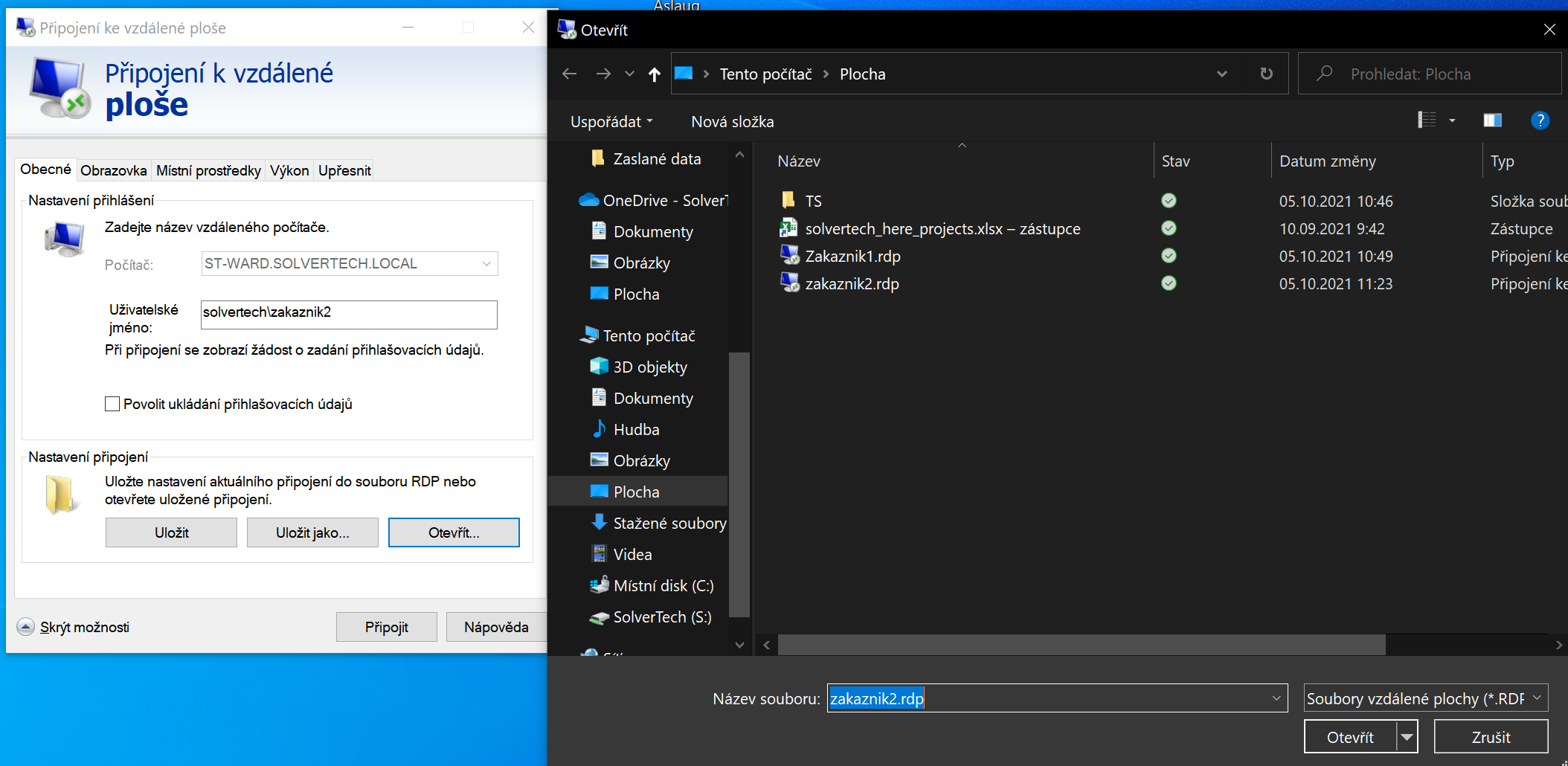
- Open the Remote Desktop Connection application → Open → and select the desired user account and log in → opens another new login via the selected account
- We can switch between the sessions → after finishing the work we need to disconnect properly from each session separately.
